Projects · Build archive

Case files you can actually inspect.

Some are live client builds. Some are simulated builds. Each one shows the page, funnel, booking, follow‑up, or backend pieces that were put together.

1 live client build 3 simulated client builds 4 case files opened

Build showcase

Four case files, opened.

Each entry shows the page that visitors saw, the setup that ran behind it, and the path that tied the build together.

integrity444ltqs.com Live client build
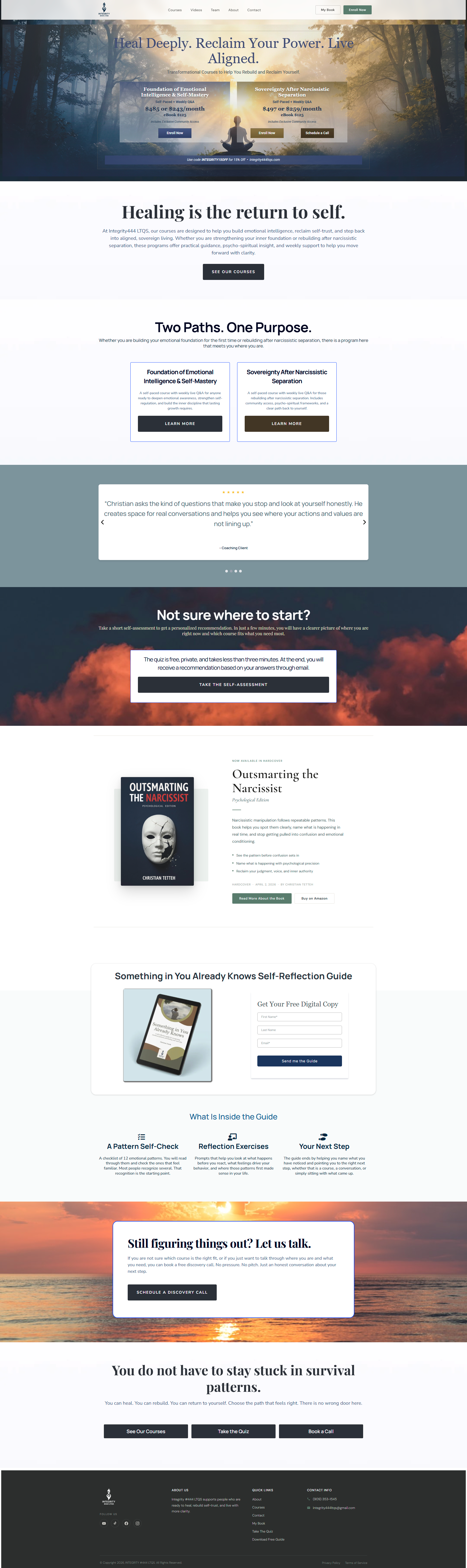
Integrity 444 LTQS website

Live client buildCase · 01

Integrity 444 LTQS

Live client build for a coaching and training brand. Website pages, funnel paths, quiz scoring, booking flow, lead magnet delivery, course offer pages, reminders, and backend workflow pieces.

  • Website pages
  • Funnel paths
  • Quiz scoring
  • Workflow pieces
View case study
oakwelldentistry.com Simulated client build
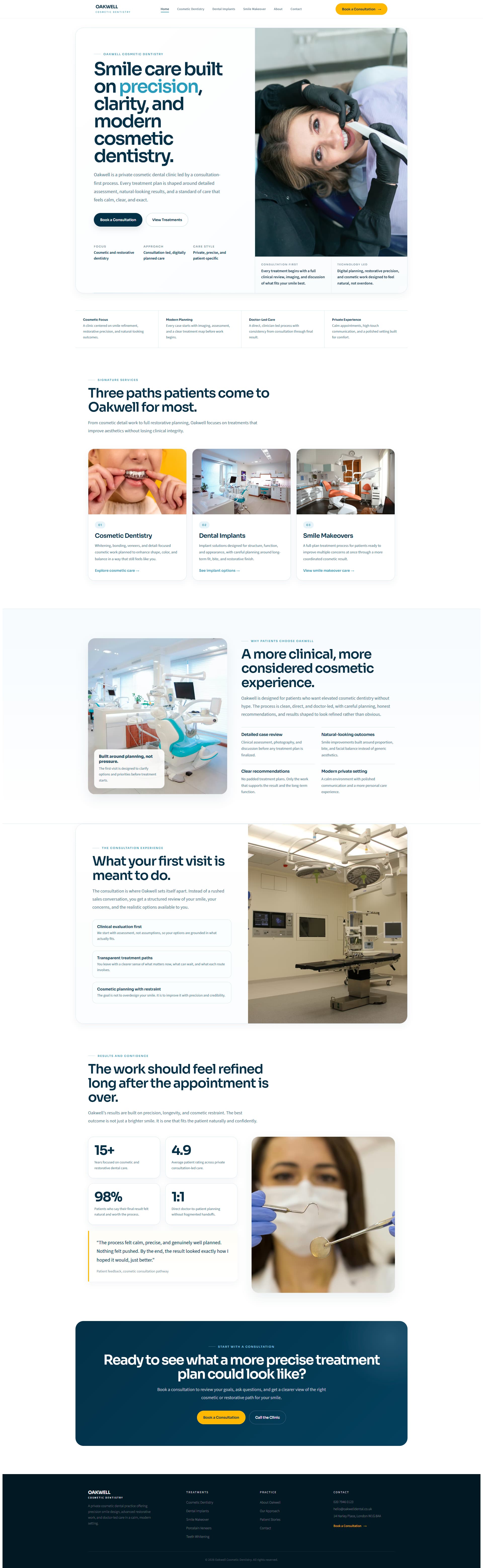
Oakwell Cosmetic Dentistry website mockup

Simulated client buildCase · 02

Oakwell Cosmetic Dentistry

Simulated build for a cosmetic and restorative dental practice. Website pages, service pages, consultation path, veneers guide, smile quiz, implant inquiry, booking page, and follow‑up logic.

  • Website pages
  • Service pages
  • Smile quiz
  • Follow‑up logic
View case study
northlightcoaching.com/clarity-call Simulated client build
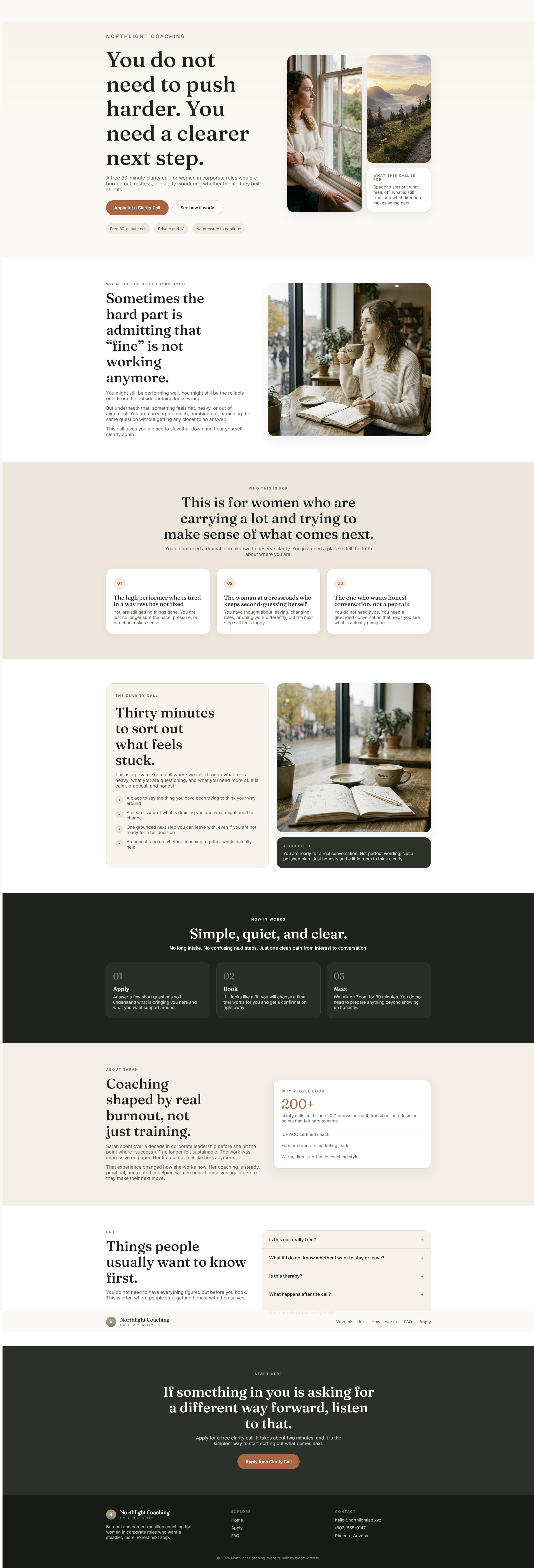
Northlight Coaching landing page mockup

Simulated client buildCase · 03

Northlight Coaching

Simulated build for a burnout and career transition coach. Landing page, application form, booking calendar, confirmation flow, reminders, no‑show recovery, and lead tracking.

  • Landing page
  • Application form
  • Booking calendar
  • No‑show recovery
View case study
raevencolecoaching.online/inquiry Simulated client build
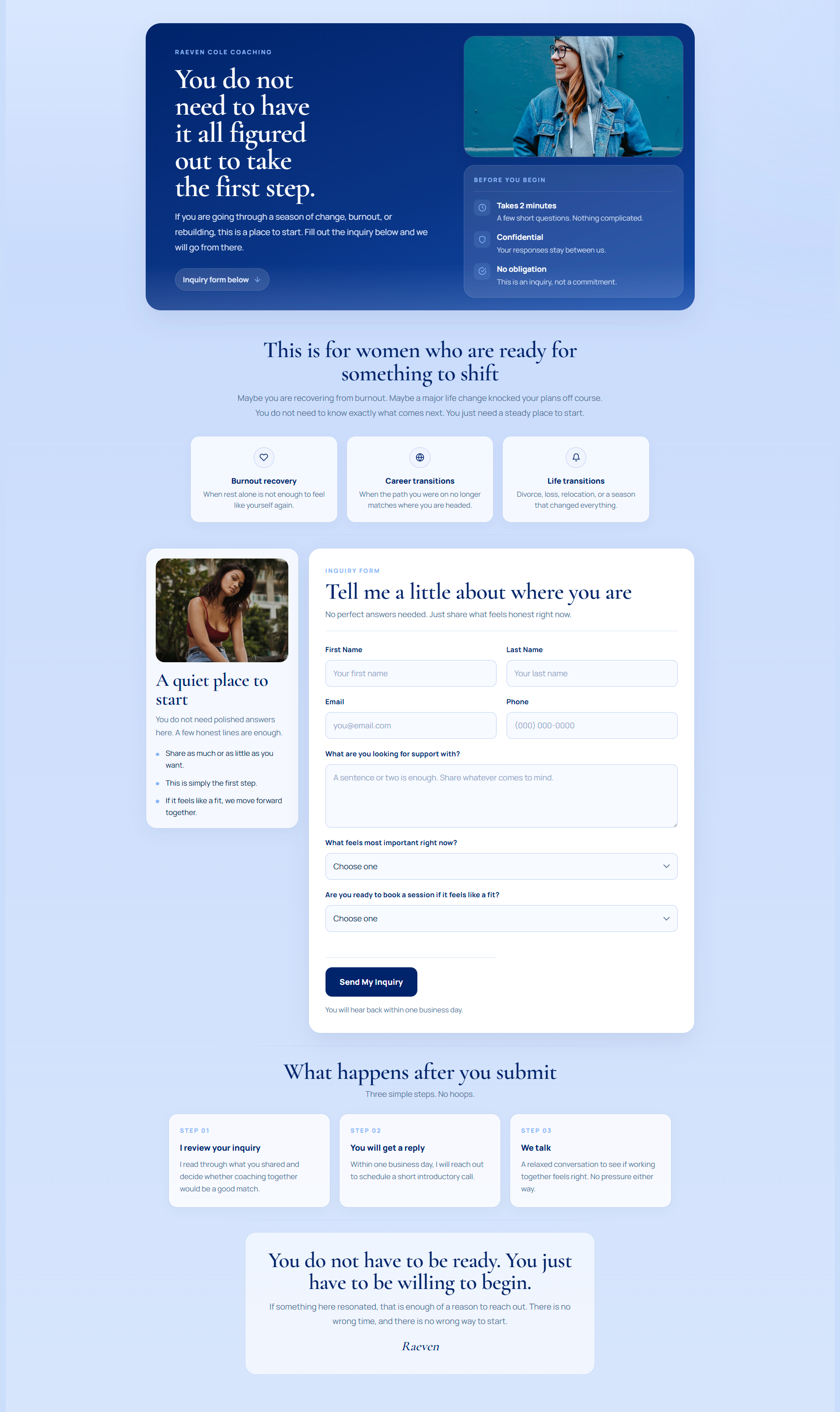
Raeven Cole Coaching inquiry page mockup

Simulated client buildCase · 04

Raeven Cole Coaching

Simulated build for a life and career transition coach. Inquiry page, confirmation page, booking page, thank‑you page, follow‑up flow, reminders, no‑response path, and lead tracking.

  • Inquiry page
  • Booking page
  • Follow‑up flow
  • No‑response path
View case study

What to look for

Four things in every case file.

Each detail page covers the same four moments. Use them to compare across cases without reading from start to finish.

Look 01 The first page someone sees.Home, landing page, or inquiry page · the entry point. Pages
Look 02 The form or booking path.How a visitor moves from interest to a scheduled call. Funnel
Look 03 The reply and reminder flow.What runs after the inquiry · confirmation, reminders, and re‑engagement. Follow‑up
Look 04 The owner view behind it.Pipeline stages, tags, and routing the owner uses to keep status clear. Systems

Inside every build

The parts list behind each case.

Eight pieces. Every case file pulls from the same list. The mix changes per project. The parts stay the same.

Scope · 01 Build parts list
Eight pieces
01

Funnel pages

Landing pages, opt-ins, and thank-you pages. The part the visitor actually sees.

02

Forms

Applications, lead capture, and contact forms, wired into the right inbox and the right pipeline stage.

03

Calendars

Booking pages with buffer time, confirmation, and the right reminder sequence attached.

04

Workflows

Automated logic, follow-up paths, and delivery sequences that move each contact forward.

05

Reminders

Email and SMS appointment reminders, tested on a real phone before anything goes live.

06

Pipelines

Stages, tags, and lead tracking so every inquiry has a place to sit and a next step to take.

07

Backend setup

Account config, tags, custom fields, and a cleanup pass so nothing dangles when we hand it back.

08

Handoff logic

Form-to-pipeline routing, clear next steps, and a written handoff so you can run it after we leave.

Start here

Want to see what yours would need?

Send the page, form, booking path, and follow‑up pieces. We'll reply with the first fix and the offer that fits.